Notice: Function _load_textdomain_just_in_time was called incorrectly. Translation loading for the acf domain was triggered too early. This is usually an indicator for some code in the plugin or theme running too early. Translations should be loaded at the init action or later. Please see Debugging in WordPress for more information. (This message was added in version 6.7.0.) in /home/dh_432dct/themedev.thepixelpixie/wp-includes/functions.php on line 6170
Notice: Function wp_enqueue_script was called incorrectly. Scripts and styles should not be registered or enqueued until the wp_enqueue_scripts, admin_enqueue_scripts, or login_enqueue_scripts hooks. This notice was triggered by the codepen-embed-script handle. Please see Debugging in WordPress for more information. (This message was added in version 3.3.0.) in /home/dh_432dct/themedev.thepixelpixie/wp-includes/functions.php on line 6170
Notice: Function Automattic\Jetpack\Assets::alias_textdomain was called incorrectly. Textdomain aliases should be registered before the wp_default_scripts hook. This notice was triggered by the jetpack-account-protection domain. Please see Debugging in WordPress for more information. in /home/dh_432dct/themedev.thepixelpixie/wp-includes/functions.php on line 6170
Notice: Function Automattic\Jetpack\Assets::alias_textdomain was called incorrectly. Textdomain aliases should be registered before the wp_default_scripts hook. This notice was triggered by the jetpack-activity-log domain. Please see Debugging in WordPress for more information. in /home/dh_432dct/themedev.thepixelpixie/wp-includes/functions.php on line 6170
Notice: Function Automattic\Jetpack\Assets::alias_textdomain was called incorrectly. Textdomain aliases should be registered before the wp_default_scripts hook. This notice was triggered by the jetpack-admin-ui domain. Please see Debugging in WordPress for more information. in /home/dh_432dct/themedev.thepixelpixie/wp-includes/functions.php on line 6170
Notice: Function Automattic\Jetpack\Assets::alias_textdomain was called incorrectly. Textdomain aliases should be registered before the wp_default_scripts hook. This notice was triggered by the jetpack-assets domain. Please see Debugging in WordPress for more information. in /home/dh_432dct/themedev.thepixelpixie/wp-includes/functions.php on line 6170
Notice: Function _load_textdomain_just_in_time was called incorrectly. Translation loading for the jetpack domain was triggered too early. This is usually an indicator for some code in the plugin or theme running too early. Translations should be loaded at the init action or later. Please see Debugging in WordPress for more information. (This message was added in version 6.7.0.) in /home/dh_432dct/themedev.thepixelpixie/wp-includes/functions.php on line 6170
Notice: Function Automattic\Jetpack\Assets::alias_textdomain was called incorrectly. Textdomain aliases should be registered before the wp_default_scripts hook. This notice was triggered by the jetpack-backup-pkg domain. Please see Debugging in WordPress for more information. in /home/dh_432dct/themedev.thepixelpixie/wp-includes/functions.php on line 6170
Notice: Function Automattic\Jetpack\Assets::alias_textdomain was called incorrectly. Textdomain aliases should be registered before the wp_default_scripts hook. This notice was triggered by the jetpack-blaze domain. Please see Debugging in WordPress for more information. in /home/dh_432dct/themedev.thepixelpixie/wp-includes/functions.php on line 6170
Notice: Function Automattic\Jetpack\Assets::alias_textdomain was called incorrectly. Textdomain aliases should be registered before the wp_default_scripts hook. This notice was triggered by the jetpack-block-delimiter domain. Please see Debugging in WordPress for more information. in /home/dh_432dct/themedev.thepixelpixie/wp-includes/functions.php on line 6170
Notice: Function Automattic\Jetpack\Assets::alias_textdomain was called incorrectly. Textdomain aliases should be registered before the wp_default_scripts hook. This notice was triggered by the jetpack-boost-core domain. Please see Debugging in WordPress for more information. in /home/dh_432dct/themedev.thepixelpixie/wp-includes/functions.php on line 6170
Notice: Function Automattic\Jetpack\Assets::alias_textdomain was called incorrectly. Textdomain aliases should be registered before the wp_default_scripts hook. This notice was triggered by the jetpack-boost-speed-score domain. Please see Debugging in WordPress for more information. in /home/dh_432dct/themedev.thepixelpixie/wp-includes/functions.php on line 6170
Notice: Function Automattic\Jetpack\Assets::alias_textdomain was called incorrectly. Textdomain aliases should be registered before the wp_default_scripts hook. This notice was triggered by the jetpack-classic-theme-helper domain. Please see Debugging in WordPress for more information. in /home/dh_432dct/themedev.thepixelpixie/wp-includes/functions.php on line 6170
Notice: Function Automattic\Jetpack\Assets::alias_textdomain was called incorrectly. Textdomain aliases should be registered before the wp_default_scripts hook. This notice was triggered by the jetpack-compat domain. Please see Debugging in WordPress for more information. in /home/dh_432dct/themedev.thepixelpixie/wp-includes/functions.php on line 6170
Notice: Function Automattic\Jetpack\Assets::alias_textdomain was called incorrectly. Textdomain aliases should be registered before the wp_default_scripts hook. This notice was triggered by the jetpack-config domain. Please see Debugging in WordPress for more information. in /home/dh_432dct/themedev.thepixelpixie/wp-includes/functions.php on line 6170
Notice: Function Automattic\Jetpack\Assets::alias_textdomain was called incorrectly. Textdomain aliases should be registered before the wp_default_scripts hook. This notice was triggered by the jetpack-connection domain. Please see Debugging in WordPress for more information. in /home/dh_432dct/themedev.thepixelpixie/wp-includes/functions.php on line 6170
Notice: Function Automattic\Jetpack\Assets::alias_textdomain was called incorrectly. Textdomain aliases should be registered before the wp_default_scripts hook. This notice was triggered by the jetpack-explat domain. Please see Debugging in WordPress for more information. in /home/dh_432dct/themedev.thepixelpixie/wp-includes/functions.php on line 6170
Notice: Function Automattic\Jetpack\Assets::alias_textdomain was called incorrectly. Textdomain aliases should be registered before the wp_default_scripts hook. This notice was triggered by the jetpack-external-connections domain. Please see Debugging in WordPress for more information. in /home/dh_432dct/themedev.thepixelpixie/wp-includes/functions.php on line 6170
Notice: Function Automattic\Jetpack\Assets::alias_textdomain was called incorrectly. Textdomain aliases should be registered before the wp_default_scripts hook. This notice was triggered by the jetpack-external-media domain. Please see Debugging in WordPress for more information. in /home/dh_432dct/themedev.thepixelpixie/wp-includes/functions.php on line 6170
Notice: Function Automattic\Jetpack\Assets::alias_textdomain was called incorrectly. Textdomain aliases should be registered before the wp_default_scripts hook. This notice was triggered by the jetpack-forms domain. Please see Debugging in WordPress for more information. in /home/dh_432dct/themedev.thepixelpixie/wp-includes/functions.php on line 6170
Notice: Function Automattic\Jetpack\Assets::alias_textdomain was called incorrectly. Textdomain aliases should be registered before the wp_default_scripts hook. This notice was triggered by the jetpack-image-cdn domain. Please see Debugging in WordPress for more information. in /home/dh_432dct/themedev.thepixelpixie/wp-includes/functions.php on line 6170
Notice: Function Automattic\Jetpack\Assets::alias_textdomain was called incorrectly. Textdomain aliases should be registered before the wp_default_scripts hook. This notice was triggered by the jetpack-import domain. Please see Debugging in WordPress for more information. in /home/dh_432dct/themedev.thepixelpixie/wp-includes/functions.php on line 6170
Notice: Function Automattic\Jetpack\Assets::alias_textdomain was called incorrectly. Textdomain aliases should be registered before the wp_default_scripts hook. This notice was triggered by the jetpack-ip domain. Please see Debugging in WordPress for more information. in /home/dh_432dct/themedev.thepixelpixie/wp-includes/functions.php on line 6170
Notice: Function Automattic\Jetpack\Assets::alias_textdomain was called incorrectly. Textdomain aliases should be registered before the wp_default_scripts hook. This notice was triggered by the jetpack-jitm domain. Please see Debugging in WordPress for more information. in /home/dh_432dct/themedev.thepixelpixie/wp-includes/functions.php on line 6170
Notice: Function Automattic\Jetpack\Assets::alias_textdomain was called incorrectly. Textdomain aliases should be registered before the wp_default_scripts hook. This notice was triggered by the jetpack-jwt domain. Please see Debugging in WordPress for more information. in /home/dh_432dct/themedev.thepixelpixie/wp-includes/functions.php on line 6170
Notice: Function Automattic\Jetpack\Assets::alias_textdomain was called incorrectly. Textdomain aliases should be registered before the wp_default_scripts hook. This notice was triggered by the jetpack-licensing domain. Please see Debugging in WordPress for more information. in /home/dh_432dct/themedev.thepixelpixie/wp-includes/functions.php on line 6170
Notice: Function Automattic\Jetpack\Assets::alias_textdomain was called incorrectly. Textdomain aliases should be registered before the wp_default_scripts hook. This notice was triggered by the jetpack-masterbar domain. Please see Debugging in WordPress for more information. in /home/dh_432dct/themedev.thepixelpixie/wp-includes/functions.php on line 6170
Notice: Function Automattic\Jetpack\Assets::alias_textdomain was called incorrectly. Textdomain aliases should be registered before the wp_default_scripts hook. This notice was triggered by the jetpack-my-jetpack domain. Please see Debugging in WordPress for more information. in /home/dh_432dct/themedev.thepixelpixie/wp-includes/functions.php on line 6170
Notice: Function Automattic\Jetpack\Assets::alias_textdomain was called incorrectly. Textdomain aliases should be registered before the wp_default_scripts hook. This notice was triggered by the jetpack-newsletter domain. Please see Debugging in WordPress for more information. in /home/dh_432dct/themedev.thepixelpixie/wp-includes/functions.php on line 6170
Notice: Function Automattic\Jetpack\Assets::alias_textdomain was called incorrectly. Textdomain aliases should be registered before the wp_default_scripts hook. This notice was triggered by the jetpack-password-checker domain. Please see Debugging in WordPress for more information. in /home/dh_432dct/themedev.thepixelpixie/wp-includes/functions.php on line 6170
Notice: Function Automattic\Jetpack\Assets::alias_textdomain was called incorrectly. Textdomain aliases should be registered before the wp_default_scripts hook. This notice was triggered by the jetpack-paypal-payments domain. Please see Debugging in WordPress for more information. in /home/dh_432dct/themedev.thepixelpixie/wp-includes/functions.php on line 6170
Notice: Function Automattic\Jetpack\Assets::alias_textdomain was called incorrectly. Textdomain aliases should be registered before the wp_default_scripts hook. This notice was triggered by the jetpack-plugins-installer domain. Please see Debugging in WordPress for more information. in /home/dh_432dct/themedev.thepixelpixie/wp-includes/functions.php on line 6170
Notice: Function Automattic\Jetpack\Assets::alias_textdomain was called incorrectly. Textdomain aliases should be registered before the wp_default_scripts hook. This notice was triggered by the jetpack-post-list domain. Please see Debugging in WordPress for more information. in /home/dh_432dct/themedev.thepixelpixie/wp-includes/functions.php on line 6170
Notice: Function Automattic\Jetpack\Assets::alias_textdomain was called incorrectly. Textdomain aliases should be registered before the wp_default_scripts hook. This notice was triggered by the jetpack-post-media domain. Please see Debugging in WordPress for more information. in /home/dh_432dct/themedev.thepixelpixie/wp-includes/functions.php on line 6170
Notice: Function Automattic\Jetpack\Assets::alias_textdomain was called incorrectly. Textdomain aliases should be registered before the wp_default_scripts hook. This notice was triggered by the jetpack-protect-models domain. Please see Debugging in WordPress for more information. in /home/dh_432dct/themedev.thepixelpixie/wp-includes/functions.php on line 6170
Notice: Function Automattic\Jetpack\Assets::alias_textdomain was called incorrectly. Textdomain aliases should be registered before the wp_default_scripts hook. This notice was triggered by the jetpack-protect-status domain. Please see Debugging in WordPress for more information. in /home/dh_432dct/themedev.thepixelpixie/wp-includes/functions.php on line 6170
Notice: Function Automattic\Jetpack\Assets::alias_textdomain was called incorrectly. Textdomain aliases should be registered before the wp_default_scripts hook. This notice was triggered by the jetpack-publicize-pkg domain. Please see Debugging in WordPress for more information. in /home/dh_432dct/themedev.thepixelpixie/wp-includes/functions.php on line 6170
Notice: Function Automattic\Jetpack\Assets::alias_textdomain was called incorrectly. Textdomain aliases should be registered before the wp_default_scripts hook. This notice was triggered by the jetpack-search-pkg domain. Please see Debugging in WordPress for more information. in /home/dh_432dct/themedev.thepixelpixie/wp-includes/functions.php on line 6170
Notice: Function Automattic\Jetpack\Assets::alias_textdomain was called incorrectly. Textdomain aliases should be registered before the wp_default_scripts hook. This notice was triggered by the jetpack-stats domain. Please see Debugging in WordPress for more information. in /home/dh_432dct/themedev.thepixelpixie/wp-includes/functions.php on line 6170
Notice: Function Automattic\Jetpack\Assets::alias_textdomain was called incorrectly. Textdomain aliases should be registered before the wp_default_scripts hook. This notice was triggered by the jetpack-stats-admin domain. Please see Debugging in WordPress for more information. in /home/dh_432dct/themedev.thepixelpixie/wp-includes/functions.php on line 6170
Notice: Function Automattic\Jetpack\Assets::alias_textdomain was called incorrectly. Textdomain aliases should be registered before the wp_default_scripts hook. This notice was triggered by the jetpack-subscribers-dashboard domain. Please see Debugging in WordPress for more information. in /home/dh_432dct/themedev.thepixelpixie/wp-includes/functions.php on line 6170
Notice: Function Automattic\Jetpack\Assets::alias_textdomain was called incorrectly. Textdomain aliases should be registered before the wp_default_scripts hook. This notice was triggered by the jetpack-sync domain. Please see Debugging in WordPress for more information. in /home/dh_432dct/themedev.thepixelpixie/wp-includes/functions.php on line 6170
Notice: Function Automattic\Jetpack\Assets::alias_textdomain was called incorrectly. Textdomain aliases should be registered before the wp_default_scripts hook. This notice was triggered by the jetpack-videopress-pkg domain. Please see Debugging in WordPress for more information. in /home/dh_432dct/themedev.thepixelpixie/wp-includes/functions.php on line 6170
Notice: Function Automattic\Jetpack\Assets::alias_textdomain was called incorrectly. Textdomain aliases should be registered before the wp_default_scripts hook. This notice was triggered by the jetpack-waf domain. Please see Debugging in WordPress for more information. in /home/dh_432dct/themedev.thepixelpixie/wp-includes/functions.php on line 6170
Notice: Function Automattic\Jetpack\Assets::alias_textdomain was called incorrectly. Textdomain aliases should be registered before the wp_default_scripts hook. This notice was triggered by the jetpack-wp-abilities domain. Please see Debugging in WordPress for more information. in /home/dh_432dct/themedev.thepixelpixie/wp-includes/functions.php on line 6170
Notice: Function Automattic\Jetpack\Assets::alias_textdomain was called incorrectly. Textdomain aliases should be registered before the wp_default_scripts hook. This notice was triggered by the jetpack-wp-build-polyfills domain. Please see Debugging in WordPress for more information. in /home/dh_432dct/themedev.thepixelpixie/wp-includes/functions.php on line 6170
Notice: Function Automattic\Jetpack\Assets::alias_textdomain was called incorrectly. Textdomain aliases should be registered before the wp_default_scripts hook. This notice was triggered by the woocommerce-analytics domain. Please see Debugging in WordPress for more information. in /home/dh_432dct/themedev.thepixelpixie/wp-includes/functions.php on line 6170 Page not found | Pixie Nerd Theme
So, I was recently having trouble when working on a new development website where I would add styles to the style.css file, but no matter how many times I’d try to clear my cache, it just wasn’t appearing! Now, the first time this happened, I assumed it was because I hadn’t switched to Development Mode in CloudFlare. That had happened before, and turning that on fixed it right up. So of course that was where I started. No luck. The changes to my CSS still weren’t showing up for me. In any browser. At all.
But never fear! I did find a solution! Now, I must preface this by saying that, while I’m a good coder, and I know quite a bit, I do not know why this particular fix worked for me.
In your functions.php file, where your style.css file is enqueued, you want to add &r=
So, the line for this style would look something like this:
I hope this helps you out. And if you know why this works, or if there would be a better way, please don’t hesitate to leave a comment below.
What does thePixelPixie use to build original WordPress themes?
So, it’s been awhile since I posted. Life has been crazy this year, in mostly good and GREAT ways. But I wanted to write a quick little blog here to talk about what I use when I’m building new themes for WordPress sites. This is part “thePixelPixie’s favorite things”, and part “these things make my life as a developer and designer so much easier”!
First of all, all of the original themes I create are built on a framework called Bootstrap. This framework (it’s not a theme all by itself, and was not created for any one platform) was created under the premise that most websites today are viewed most often in mobile layouts – from phones and tablets – THEN on laptops and desktops. It’s concept is “mobile first”. In the early days of websites being accessible by mobile devices, developers/designers would need to create completely different layouts and redirect browsers to the proper version of the content. So, for instance, a website might have a sub-domain of mobile.mydomain.com. If you were visiting the site from your desktop or laptop computer, you’d wind up just at mydomain.com. But if you were viewing from your phone, you would either need to click a link to go to the mobile-friendly version, or the coding would be able to recognize that you were visiting from a browser for mobile devices and would automatically forward you to mobile.mydomain.com. Today, however, you can design websites to simply “rearrange” their content depending on the width of the browser and/or monitor being used to view the site. No more double-coding. No more sub-domains. In most ways, it’s way way WAY easier to build for mobile now. In fact, as the developers at Bootstrap would say, everything should be designed FIRST from the mobile perspective, and THEN go to the larger sizes. And so this is the concept behind Bootstrap. I always have the pages for setting up layouts open while I’m building a website, especially since Bootstrap 4 came out and a lot of the style names have changed. But this allows me to save a whole lot of time creating mobile-ready websites. It’s all built in! I just need to customize it all to look like YOUR website, not a Bootstrap website.
Bootstrap 3 Carousels – Related to Bootstrap, a depository of various types of Bootstrap Carousels is a page I keep open for all sorts of sites that get built. This particular one was done for Bootstrap 3, which has since been replaced by Bootstrap 4. But it’s not difficult to convert the layouts to the new settings. There are carousels for the tops of homepages, quotes carousels, and carousels for product listings. I have used almost all of these carousels in various projects, so it’s been absolutely invaluable to me!
FontAwesome – What did we ever do before FontAwesome came out? Wow. This one really changed things for me when it came out a few years ago (we’re now up to v5, which uses SVG versions of the icons – this doesn’t mean much to you if you aren’t a developer, but suffice to say that SVG graphic elements are AWWWWWWWWsome). Before this, if you wanted to include various icons for things like Facebook, Twitter, a Play button, a magnifying glass, etc., your primary choices were image sprites (which I always found to be a bit of a pain to deal with), creating the icons yourself and uploading images, or creating your own custom set of icons in a custom font (which is a huge pain in the patoot). Today, all you have to do is reference this handy-dandy font, and you have hundreds of crisp, clean, approved versions of icons for nearly everything you can imagine! It’s…wait for it…fontAWESOME!
Stackoverflow – yeah, see, sometimes I can’t figure out why a thing isn’t working right. Or I’m trying to figure out how to do something that I’m *certain* someone else has done and had trouble with before too. More often than not, I can find answers here at Stackoverflow. I’m a decent coder, but there are folks on here that live and breathe code. It’s pretty great!
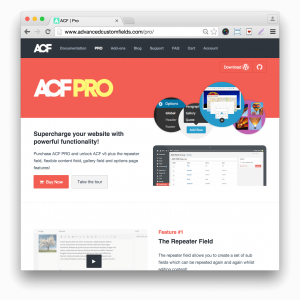
I also depend on one WordPress plugin (the items listed above are not plugins, and can be used for any kind of website, regardless of the backend framework. This one is specific to WordPress). And that’s Advanced Custom Fields. Hands down, this is the single most useful plugin I have ever encountered for creating truly custom websites. It makes adding custom fields to your pages/posts/custom post types a breeze! Sure, I could create them by hand. But why spend that time when you can use this incredibly powerful plugin that does the heavy-lifting for you? This is the plugin that allows me to turn WooCommerce into an excellent event ticketing system for performing arts organizations. This is the plugin that allows me to set up my client’s administrative backend in such a way that they truly don’t have to know how to code anything. If they want to include an audio clip on their page? Easy. If they want to have specific fields added to their event/product descriptions? Yep. Here’s what to use. And I nearly always have their support forums open to assist in reminding me how to call the various types of data properly. When I have questions, I get answers pretty quickly. It’s just, hands down, the most useful plugin around for WordPress sites. Well worth paying the annual fee for the pro version!
TinyPNG/JPG – A super cool free online utility (up to a certain number of images at a time – then you can purchase an unlimited membership) to help optimize your images for the web. Sometimes you want to use some really cool images, and that’s great! But they can sometimes be really memory intensive if they’re large. I try to run all JPG and PNG images through this optimizer before uploading to any website. It helps make sure the site loads as fast as possible.
I almost don’t even mention this item because it’s so ubiquitous, and used by nearly every website nowadays, but the piece of scripting that runs pretty much all of these things (for instance, many of the components of Bootstrap simply will not work without it, and it even comes pre-installed on all WordPress sites) is jQuery. I’m not an expert script writer. But I know enough to make some pretty cool stuff happen – and it’s almost always driven by either jQuery or Java (yes, they’re different things). Those cool carousel sliders you see everywhere (maybe too much in recent years)? Yeah, they’re usually done with jQuery. Animations you see as you scroll through a website? Nearly always made possible by jQuery. jQuery and PHP/MySQL pretty much run the web these days. I’m not providing a link to it because it’s just too much to bother digging into unless you need to. Suffice to say, it’s an absolute necessity on the web these days.
So, there you go. A quick rundown of the basic components I use when I build a website. There’s always a lot more than just these, but these make up the basic framework.
What are some of your favorite frameworks and resources when you’re building a website? Tell me in the comments below. I’d be interested to know about others that I should add to my list.
Image Direct Download
In WordPress, when you “Add Media” and include a link to the image you’re adding to your page, that link will take you to a whole separate page with the full-size image shown, and then you would have to right click in order to download that image.
But what if you’re wanting to provide an image as a direct download, such as you’d see on sites like UnSplash.com? It’s actually pretty simple to accomplish. And you could either create a button that links to the image, or just link the image itself. Here’s the gist of it:
<a download="name-of-file-with-extension-but-no-path.png" href="path-to-image/name-of-file.png" title="Download This Image"><img src="path-to-image/name-of-file.png" class="img-responsive"></a>
Note that the image class “img-responsive” is from Bootstrap v3. If you aren’t using Bootstrap 3, you can omit that. If you’re using Bootstrap 4, the class to use is “img-fluid”.
Most websites display the date a post was published, and this is perfectly adequate for most static websites and blogs.
However, some websites update content on a regular basis. News sites, especially, might need to do this in order to update a breaking story with new information, corrections, images/videos, etc. Or tutorial websites might update some code, etc. ThePixelPixie, for instance, regularly updates the “Useful Sites” page.
Unfortunately, there are some websites that don’t even show a published date, and that’s just generally bad practice (here’s a nice article on WPBeginner.com about why it’s bad practice).
Luckily, adding the “last modified” date (and even time) to your theme file is pretty dang simple! And while there are multiple ways to do this, I’m going to just share the quickest and easiest (and the one I use here on ThePixelPixie.com).
For this snippet, I’m assuming that you already know how to access your theme files and that you have a very basic knowledge of the WordPress file structure. I’m also assuming that you are practicing good WordPress themeing habits by either using a ChildTheme, or only modifying a theme that you’ve created yourself. If you’re using a purchased or downloaded 3rd party theme, please make sure you’re using a child theme to make changes, or you risk getting your customizations overwritten when the theme updates.
Ok, now that that business is out of the way, simply add this to your single.php meta information area. For my theme, I have a separate meta block that I call on various template pages throughout my site, so I only have to change one file instead of a whole bunch. I’m including the full meta block for you here. Feel free to modify it for your own site.
A couple of items to note above: the <i> items are icons from FontAwesome (and this site is still on v4. You’ll want to update to v5 if you haven’t already). Also, in case you were interested, the “86400” is the number of seconds in 24 hours.
As I mentioned, there are other ways to accomplish the same thing. This is the easiest one. How do you display meta data on your posts?
How to add Tweet Count to your Share Button
In late 2015, Twitter deprecated it’s tweet count from their API. Yeah, this kinda sucked.
There is a way to at least count the number of times your Twitter share button is clicked however. There are pros and cons to this method:
Pros
It doesn’t increase your page load time loading external scripts
It updates immediately
Cons
It’s not 100% accurate. It only counts how many times the Twitter share button itself has been clicked. Site visitors can choose not to follow through with the share. This will throw the count off.
It only counts clicks since the script was implemented
Still, if having a click count is important to you, read on (and please remember that the following instructions apply only to WordPress sites).
Step 1: Create your custom Tweet button
Please note that I am assuming that you are using FontAwesome v4 here, and have added the script to enable Tooltips
This code will go on the template page or block where your share buttons live.
<?php
	$post_id = $post->ID;
	$title = get_the_title( $post_id );
	$link = get_permalink( $post_id );
	$min_count = 1; // how much number to show if there are no tweets to the post yet
	$count = ( $count = get_post_meta( $post_id, 'post_tweets', true ) ) ? $count : $min_count;
?>
<a class="pixie-tweets" href="https://twitter.com/share?text=<?php echo htmlspecialchars(urlencode(html_entity_decode(get_the_title(), ENT_COMPAT, 'UTF-8')), ENT_COMPAT, 'UTF-8'); ?>%3A&via=YOURTWITTERID&related=YOURTWITTERID&url=<?php the_permalink(); ?>" data-toggle="tooltip" data-placement="top" title="<?php echo $count ?> Tweet/s" class="pixie-tweets" data-id="<?php echo $post_id; ?>">
	<i class="fa fa-twitter" aria-hidden="true"></i> Twitter
</a>
Replace “YOURTWITTERID” with the ID for your Twitter page (in my case it’s “pixlpixiagency”. Yours will show on your Twitter home page next to the “@” symbol.
Step 2: The jQuery
You will need to put this code in the footer.php file of your theme, right before the </body> tag.
<script>
	jQuery( function( $ ){
		var ajax_url = '//www.YOURURL.com/wp-admin/admin-ajax.php';
		$('.pixie-tweets').click( function(){ // after clicking Tweet button
			var tweetbutton = $(this),
			post_id = tweetbutton.attr( 'data-id' ); // get Post ID

			$.ajax({ // send the info to your server that the Tweet button has been clicked and where
			type:'POST',
			url:ajax_url,
			data:{'post_id' : post_id, 'action' : 'tweet'},
			success:function( data ){
					tweetbutton.find('span').text( data ); // return and display the result count
			}
			});
		});
	});
</script>
Replace “YOURURL” with the url of your WordPress site (in my case it’s “thepixelpixie”.
Step 3: Increase the count, and show the result
This goes in the functions.php file for your theme
function pixie_tweets(){
	$min_count = 1; // what number to show if there are no tweets to the post yet
	$count = ( $count = get_post_meta( $_POST['post_id'], 'post_tweets', true ) ) ? $count : $min_count;

	// if current user IP address == the IP of the previous user who clicked the button, skip lines 7-10 of code
	if( get_post_meta( $_POST['post_id'], 'post_tweets_latest_ip', true ) != $_SERVER['REMOTE_ADDR'] ) {
		$count++;
		update_post_meta( $_POST['post_id'], 'post_tweets', $count );
		update_post_meta( $_POST['post_id'], 'post_tweets_latest_ip', $_SERVER['REMOTE_ADDR'] );
	}

	echo $count;

	die();
}

add_action('wp_ajax_tweet', 'pixie_tweets');
add_action('wp_ajax_nopriv_tweet', 'pixie_tweets');
You can see this in action by hovering over the Twitter share button below.
Have you tried this? Do you have another method? I’d love to hear from you. Please comment below.
How to override inline CSS
Apparently this trick has been around for a loooooong time, but I only just learned of it. So I’m pretty sure there are others who will benefit from it as well.
So, let’s say you have a div that looks something like this:
<div class="something" style="background: #999;">Stuff</div>
Maybe this is a div created by a plugin and it inlines those styles through some options on the backend, or you just don’t have access to make changes to the theme files directly. This is a nifty little trick you can use:
Let me know in the comments below if this helped you or if you’ve had any difficulties getting it to work.
How to get rid of link outlines in Safari
Ever build a lovely page, you’re checking everything in all the browsers, and all of a sudden you notice that an odd outline appears around active links – but only in Safari? Well, there’s a super easy fix for this. Just add the following to your style.css file:
a:focus {
	outline: none !important;
}
Voilá!
Do you have any other neat-o, simple css snippets you use for cross-platform consistency that you’d like to share? Leave a comment below!
WordPress 101: The Top 5 Most Important Plugins for your Website
I try to use minimal plugins in the sites I build from scratch. The trouble is that, the more 3rd-party plugins you have installed, whether activated or not, the more vulnerable your site is to intruders, and the more likely you are to have script conflicts between plugins that will cause your website to slow down, or even grind to a complete halt.
But with that said, there are 5 plugins that will help your website be as functional and secure as possible right from the get-go.
1. Spam Prevention
So, every self-hosted WordPress site is susceptible to a lot of comment spam. It can get pretty annoying. It’s mostly harmless, but it’s tacky and time-consuming to monitor it all. Fortunately, WordPress comes with the best spam blocker as part of it’s core installation. Akismet does a great job. All you need to do is create a WordPress.com account (this is the only thing I will ever recommend using WordPress.com for), and connecting your account to the Akismet plugin on your website. There’s a pro/paid version, but so far I’ve found the free one to be adequate for most websites.
2. Site Security
Oh yessss…this one is VITAL for any WordPress websites. And there are a couple of security plugins that are widely used. This one happens to be my favorite, for a few reasons: simply do a search for iThemes Security. Again, this is a plugin that has additional features available for a fee. But in most cases the free version will be adequate. In addition to it’s ability to block known hacker IPs, some of it’s most important features are:
Allows you to get rid of User ID 1 (the automatic User ID assigned to the first user of your website – usually you, or whoever set up your install and is the primary administrator). It doesn’t *get rid* of the user themselves, it just makes a change to the database. This is important because hackers will often assume there’s a User ID of 1 and use that to try to get access to the website through back doors. If it doesn’t exist, it makes it *just* a bit harder to get in.
It gives you a way to change your “login” URL, which is standard on every install of WordPress (http://www.website-url.com/login). You can change it to anything you want. Again, this helps to thwart hackers who know the standard URLs for gaining access to the admin panel.
It gives you options for blocking access to the core wp-admin area as well. Important for the same reasons as above
Possible the *most* important thing it makes simple is changing your wp-content directory name! The wp-content directory is where all your theme and plugins and media files “live”. Which makes it particularly vulnerable to hackers. By physically changing this directory name to something completely different, it makes it much more difficult for hackers that use bots to gain access to your website.
It has a number of other great security options as well. I highly recommend going through and turning on everything applicable to your website (not all webistes have SSL installed, so that one won’t be needed. And I haven’t yet run across a site that needed to limit admin access to certain hours of the day, for instance).
3. Site Backups
In this case, I recommend a premium plugin. I don’t do this often, but it’s one of 2 that I highly recommend as being worth the expense. Made by the same folks as iThemes Security, BackupBuddy is absolutely invaluable not just for backups, but for quick and simple site migration and restore as well. You can schedule regular backups and set it up to store those backups to an offsite storage location (such as DropBox), to email them to you, or just keep them stored in a directory on your website. And since it’s made by the same folks who make your security system, there’s excellent integration there.
However, there are some other backup plugins that folks use. I have not worked with most of these though so I don’t have an opinion one way or the other: UpdraftPlus WordPress Backup has over 1Million installs, as does Jetpack (which has quite a lot of other features available as well, but is a HUGE plugin. I rarely use it, as a matter of fact: Some hosts block a key file that Jetpack requires), and BackupWordPress has over 600,000 installs. With that many installs, you’re sure to get decent support when/if you run into any issues.
4. Forms
This is the other premium plugin I recommend: Gravity Forms. Yes, there are plenty of other plugins that make it easy to create forms. But Gravity Forms really does give you an incredible number of features right from the start, including a built in “honeypot” (it’s an invisible sort of “Captcha” – I don’t really know how it works, but it filters out bot entries very effectively without requiring folks to type anything in, which can be annoying). You *can* also include a captcha on your forms if you want though. Additionally, it has features that allow you to tie it in to any of the standard mail list systems like MailChimp, and can even tie in to PayPal (or other payment systems) pretty easily, making it a simple matter to create a small product catalog without the need for actual eCommerce being setup on your site. You can also create multi-page forms with ease, and it has lots of free and premium add-ons as well. Very much worth the investment.
5. SEO (Search Engine Optimization)
Ain’t no one gonna find your website just because it exists on the web. And while thePixelPixie doesn’t offer SEO services directly, I do make sure that every website is setup with the best possible SEO plugin available, in order to give you a headstart, and a starting place for your own SEO efforts. Yoast SEO is the most-used, most popular plugin to assist in these efforts. Again, there is a free and a paid version. All PixelPixie websites come with the free version installed from the get-go. With this, you get an area on every single page and post in your website to create optimal title tags, keywords, and even specific titles, descriptions, and images for Facebook and Twitter. It has lots of other features available, including turning off indexing of certain areas if you don’t want them to show up in search results, ways to specify how your page titles display, etc. It’s extensive, and extremely useful.
BONUS #6. ECommerce
Not every website needs ecommerce. And even if you *do* sell a couple of items on your site, you don’t necessarily need all the features of an online storefront. However, if you *do* need a full-featured store, WooCommerce is THE choice. Incredibly, the core system is absolutely free and available as a quick download through the plugins area on your admin panel. It was built specifically to integrate with WordPress and is continually being updated and improved. Plus there are countless free and premium plugins that allow customizations for just about any possible store need.
These are the most important plugins for your WordPress website. Some of them have extensive options and take some time to setup. I totally understand that the options can sometimes be a bit intimidating. Don’t be scared though. You really *can* do it. And if you *really* don’t want to tackle the initial setup yourself, I’m only an email away and am happy to help you. Soon I will even have premium content available with detailed tutorials on setting these things up yourself. In the meantime, simply Contact me and let me know what you’re needing help with and I will give you a quote. It won’t be too painful, I promise 😉
Let me know if you have any other plugins you consider to be important. I’m always interested in hearing what others are using.
Easy HTML codes any blogger can learn
I know it’s scary. You started using a CMS (Content Management System) like WordPress because you were told you could easily change and add content without needing any code, and here I am telling you there’s code to learn. Well, look…you can type something into a program like Microsoft Word without knowing any formatting and it works, right? But then you start to want to make things fancier, adding colors, making headlines, etc. Those are extras. You don’t have to know how to do them, but they make things prettier.
Same with blogging.
Now, I usually recommend writing all posts/pages in Text mode instead of in Visual mode. The reason for this is somewhat the same as why I do not recommend Visual Builders for website themes – code bloat, and general messiness. That said, the visual mode that comes native to WP is fine. The following codes though are intended to help you fine-tune your posts. They’re super easy and you’ll probably memorize most of them in no time at all!
Images
WordPress makes it really easy to add images. Just click the “Add Media” button at the top and choose an image. However, sometimes you may want to link to an image that lives somewhere other than your website. This is a very basic bit of code that’ll always serve you well:
Notice that “img” stands for “image”, and “src” stands for “source”, which is where the image lives/is saved – this way you can start to understand what the codes actually mean.
Links
Say you want to link a specific word or image to another page. Here’s the code you would use for that:
[html]<a href="http://linkhere">stuff that should be linked…</a>[/html]
In this code “a” stands for “anchor”, and “href” stands for “hyperlink reference”. This is the code you use to link pretty much anything. And by “link”, I mean “send someone to another location/website. So in this case, “href” serves a different purpose than “src” from the image code above.
Notice how the code has an opening and closing element? Everything in between those opening and closing elements is what will be linked.
Bold, Italic, Underline
Super simple codes to add emphasis to your text.
Bold
[html]<strong>text to be bolded</strong>[/html]
Italic
[html]<em>text to be italicized</em>[/html]
Note that all of these have opening and closing tags. If you don’t close the tag, it’ll remain in effect until it finds a closing tag on the page, which could mess up the look of everything from that point on down. So always check to make sure you’ve closed your tags.
Underline
This code is generally used to indicate something that is misspelled. It is no longer considered standard html markup. But if you really really MUST underline something (that’s not already surrounded by a link code), here’s how to do that:
[html]<u>text to be underlined</u>[/html]
I think most of those are pretty self-explanatory, but “em” stands for “emphasized text”.
New Line or Paragraph
New Line and Paragraph are actually a bit different from each other. A new line will simply put the next text on a line immediately beneath the text prior. Usually there will be no style formatting. A paragraph will almost always have spacing before and after it. It is not recommended to insert 2 breaks in order to create a new paragraph. WordPress automatically inserts paragraph markup so it’s not usually necessary to code it. But if you do have need of either for any reason:
Break
[html]<br />And then the text for that next line[/html]
Paragraph
[html]<p>paragraph text here</p>[/html]
Are you starting to see some sense to the naming conventions of these tags? “br” stands for “break”, and “p” stands for “paragraph”.
Alignment
This is an addition to your paragraph code. You have several choices: left | right | center | justify
[html]<p align="center">This text will be centered. Change "center" to "left", "right", or "justify" to modify the alignment</p>[/html]
Knowing just these basic bits of html will get you a long ways towards having an attractive blog page. And don’t forget to comment below to let me know if you have any others you think are essential, or if you have questions or difficulties. I’m always happy to help.
I hate Visual Builders!
Yeah, ok…”hate” is a strong word. It’s pretty applicable here though. I hate these visual builders that so many themes seem to have integrated into them now days. I hate them even more than I hate DIY websites like Wix.
The purpose of these visual builders (it’s a plugin that allows a user to basically drag and drop different types of content and set up different layouts, etc.) is to ostensibly make your life easier, as someone who presumably doesn’t know anything about building a website yourself. Sounds great, right?
Well, there are a couple of inherent problems here:
1. When you try to make a theme too flexible, then your site isn’t going to truly be a reflection of you and your business
This is the a general problem in the business of themes. In an effort to create a theme that MANY MANY people will buy, developers are trying to build in almost unlimited possibilities into their themes. The reality is, though, that more often than not, the site owner, unless really comfortable already with making site updates, is going to wind up being overwhelmed with the possibilities, and not able to narrow in on what will present their business best. A good designer will work with you to figure out your business goals and what your website really needs in order to best present your product to the digital world. Remember, one size fits all really doesn’t.
2. CODE BLOAT and a slow site!
So, the code bloat part will mainly bother a coding geek like me. EXCEPT that when you have as much bloat as is created by these visual builders, your site begins to slow down. Like…a LOT! In order to be so “flexible”, these builder systems create a lot of code that otherwise wouldn’t be necessary. The more code your host servers are chewing on, the slower things will get. A good developer will streamline things for your site so it’s running at it’s most optimal.
The bottom line is that ultimately, you’re not getting a site built for YOUR audience if you’re using these templates with visual builders in them. There are plenty of templates built for specific industries and specific markets. I’m always happy to help you find a good theme, or build one from scratch for you as well.